How to Create $10k Transition with $10 US
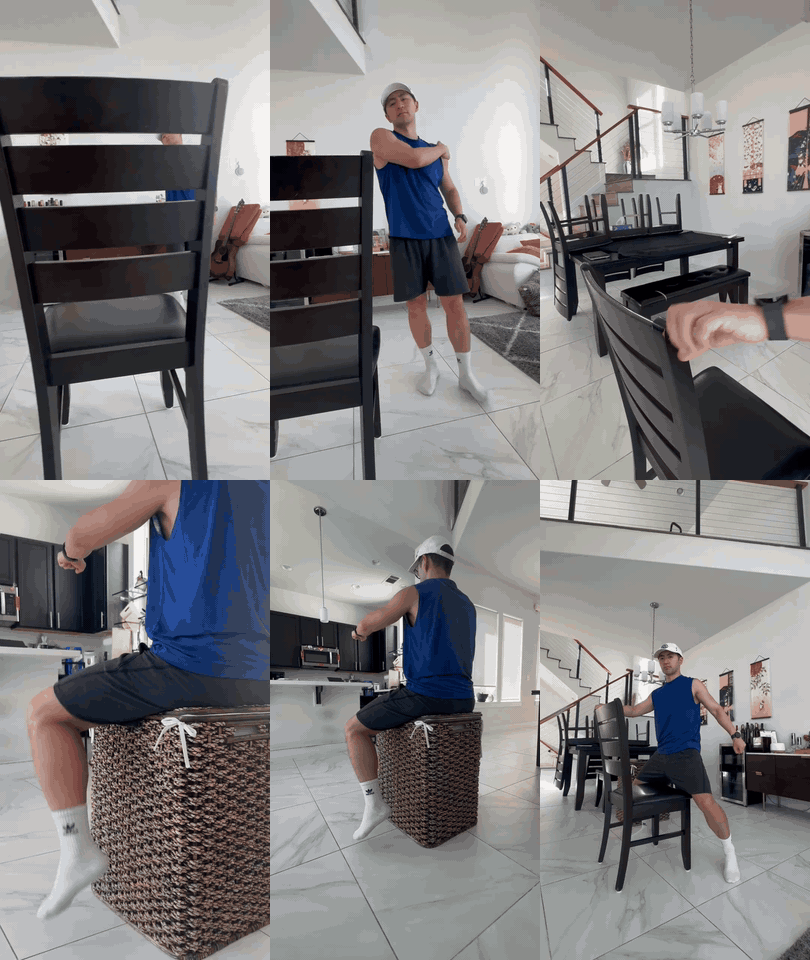
The ride in this film started as a 13-second phone video of me at home: a chair for the handlebars and a laundry basket for the seat. There is no character sheet in it at all: just my recording, three props and two locations. Here is every step and every prompt I used, so you can copy it and make your own.
Create your film and scene
Everything for one film lives in one place, so start with the film itself and one scene inside it.
How to set it up
- On the Films page, press + Create A New Film.
- Name it, then pick the shape. I used 9:16, vertical, for phones.
- Set the Video Type. I used Image to Video.
- Leave Film Style on Photorealistic for a real-footage look, then press Create Film.
- Inside the film, press + Create scene and give it a name. Mine is just "Shot 1".
- You don't need to tick anyone under Cast. Your face comes from your own recording, so no character sheet is needed.
Make your props and locations
These are the pieces your recording turns into: what you wear, what you ride, what you hold, and where it happens. Each one is a clean picture made on its own, so the video model gets exact references instead of guessing.
Let the Prompt Writer build each prop sheet
- In your scene, add a prop and give it a name, for example "Bike".
- On the prop's page, write a few words in Description (size, material, colour, wear) and add reference photos of what you want.
- Press Build this prop. The Prompt Writer opens with your words and photos already in it. Send it.
- It writes the full prompt for you: what to take from each photo, and what not to. Press Build This under its answer to fill the prop's box.
- Pick the model (I used Seedream 5.0 Pro) and press Generate. Press Use This Picture on the one you like.
- Locations work the same way, with Build location on the location's page. Ask for an empty place, with no people in it.
Props
Three props: the outfit, the motorcycle and the Guan Dao. Each was made from reference pictures, with the prompt the Prompt Writer wrote.
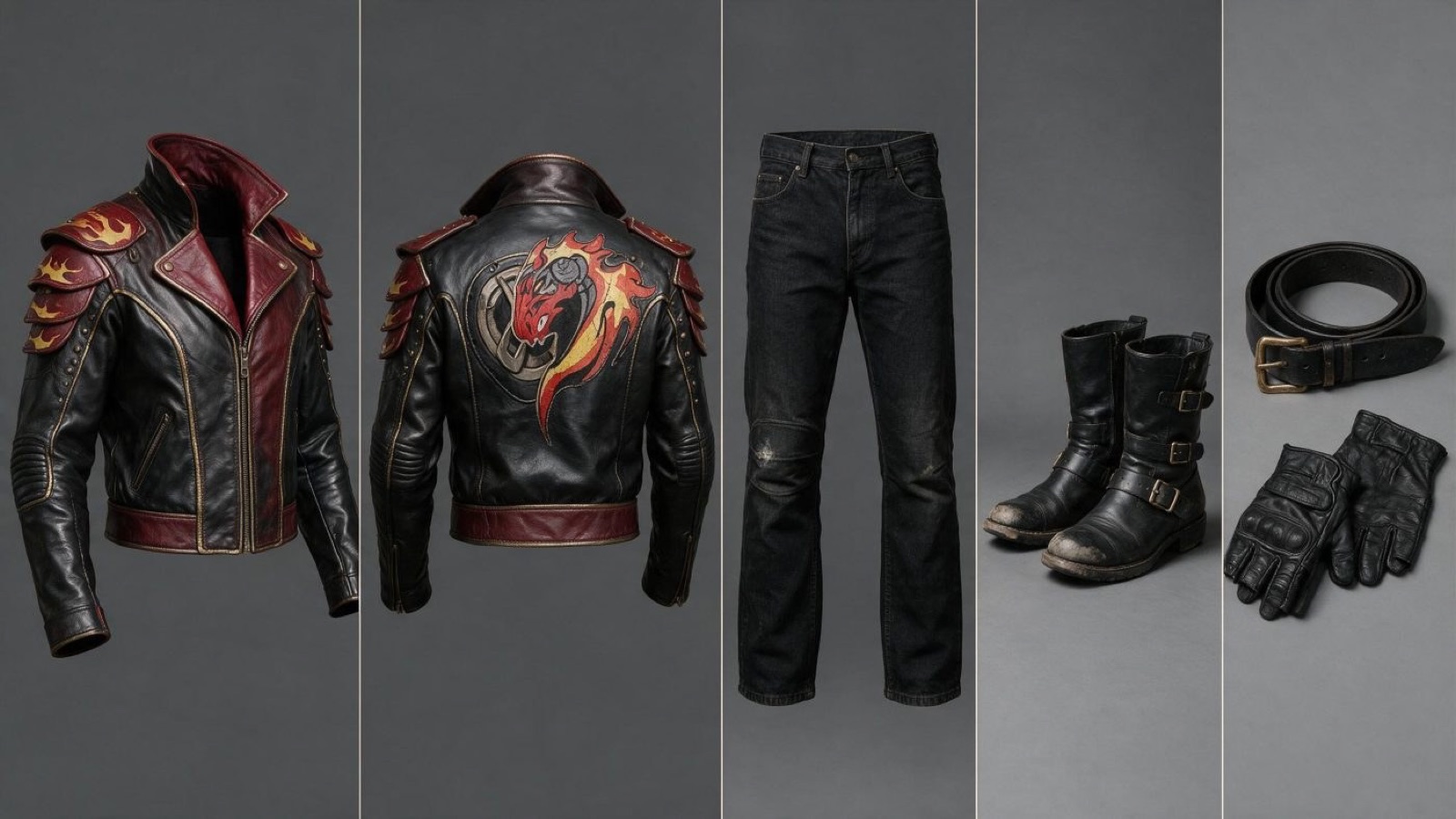
The outfit
The prompt says exactly what to take from each reference, and what not to. In the final video the outfit goes on my own body from the recording.
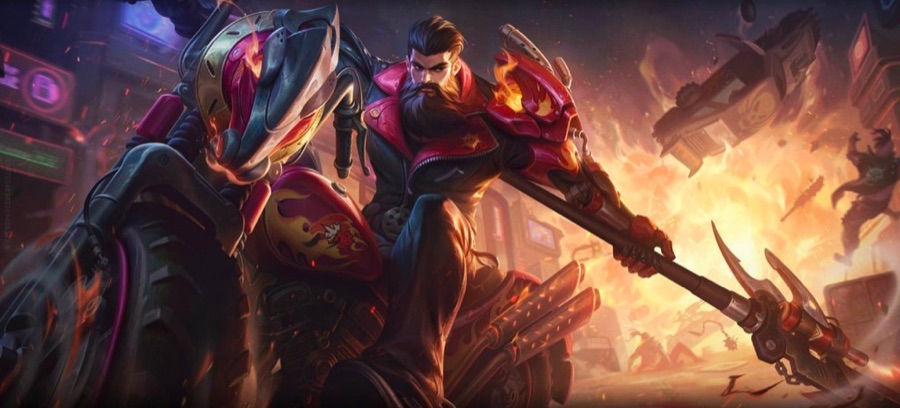 @Image1
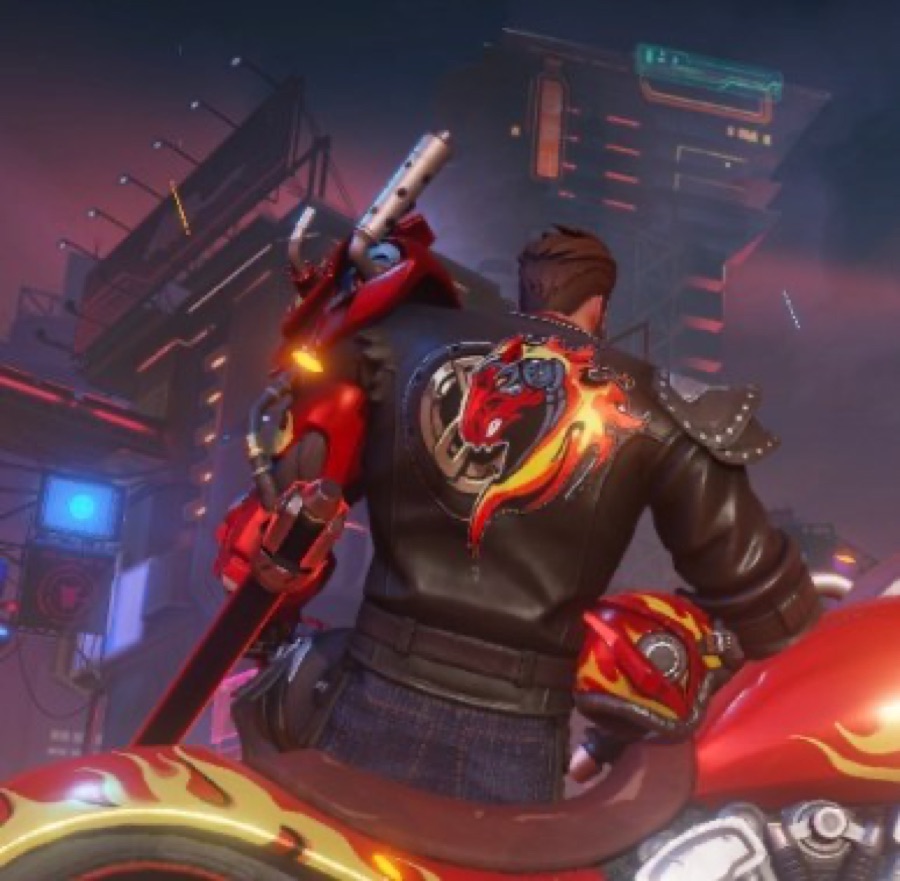 @Image2
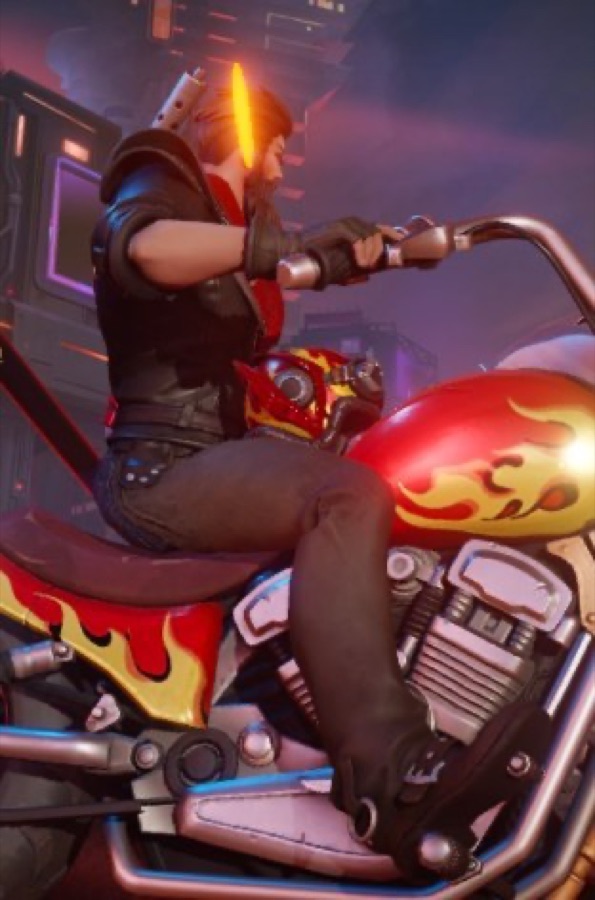 @Image3
@Image1 is the outfit from the front: take only how it is built - the high stand-up collar, the hard shoulder cap with its overlapping flame-shaped plates, the deep crimson-and-gold front, the black trousers below the waist. Not the man, his face or beard, not the spear, not the motorcycle or the explosion behind him, and not the painted illustration style.

@Image2 is the outfit from behind: take only the back of the jacket - the studded leather body, the studded shoulder pads, the red-and-yellow flaming serpent emblem spread across the shoulder blades, the wide belt. Not the man, his hair, the red blade on his shoulder, the motorcycle, the towers or the night sky.

@Image3 is the outfit from the side: take only the crimson trim along the top edge of the collar, the fingerless black gloves, the dark jeans and the black leather boots resting on the footpeg. Not the man, not the helmet on the tank, not the motorcycle, not the neon panels behind.

LAYOUT: a wide product sheet, five separate photographs of the outfit's pieces placed side by side in one row, left to right, each a tall vertical rectangle of the same width, divided by thin clean lines, one backdrop and one light for all five, nothing else in the frame.

PHOTO 1 (far left): the jacket alone, holding its worn shape as if on an invisible body, seen straight from the front, collar up, sleeves hanging relaxed and slightly forward, front closed, nothing in its hands.
PHOTO 2: the same jacket from directly behind, the same size and position, shoulders square, showing the full back of the jacket and the whole emblem.
PHOTO 3: the trousers alone, standing as if on invisible legs, seen straight from the front, waistband at the top, legs hanging straight, hems at the bottom.
PHOTO 4: the pair of boots side by side on the ground, seen from the side, toes pointing left.
PHOTO 5 (far right): the belt coiled once beside the pair of gloves laid flat, palm down.

THE OUTFIT, piece by piece:

JACKET: a heavy black leather motorcycle jacket, waist length, 62 cm from the top of the collar to the hem, worn loose over a broad chest. A high stand-up collar 9 cm tall, its top edge bound in deep crimson leather. The front panels and the shoulders are deep crimson red, edged with a thin tarnished gold pinstripe along every seam. On each shoulder a hardened armour cap of three overlapping curved plates, each plate shaped like a flame licking backwards, edged in worn gold. Rows of small steel studs run along the shoulder seams and down the outside of both forearms. A brass zip runs off-centre up the front, its pull resting at chest height. A wide crimson waistband closes the hem. Quilted elbow pads on both sleeves. Across the back, spread over both shoulder blades, a flaming serpent in red and yellow paint, 34 cm wide, the paint cracked and flaking along the serpent's spine.

TROUSERS: heavy black denim trousers, straight cut, mid-rise, waist 84 cm closed, inside leg 78 cm, worn and creased hard at the knees, one pale scuff on the left shin, all stitching a dark slate grey.

BOOTS: black leather motorcycle boots, 30 cm tall shafts, square toes, two buckle straps across each ankle with dulled brass buckles, the toes scuffed pale, dry grey dust caught in the treads.

BELT: a wide black leather belt, 5 cm across and 100 cm long, with a tarnished brass buckle and a punched line of eyelets running its length.

GLOVES: a pair of black leather fingerless gloves, padded over the knuckles, the fingers cut off at the first knuckle, the leather softened and creased from use.

Every piece is real leather and real denim with its true weight: visible grain, fine creases at every bend, stitches you can count, scuffs and dust where a rider would make them. The same light in all five photographs, soft and even, so every seam and every mark reads clearly. Shot on a full-frame camera with a 50mm lens, sharp focus from edge to edge, unretouched product photography. Not an illustration, not CGI, not a 3D render, no text, no labels, no logos, no watermark.
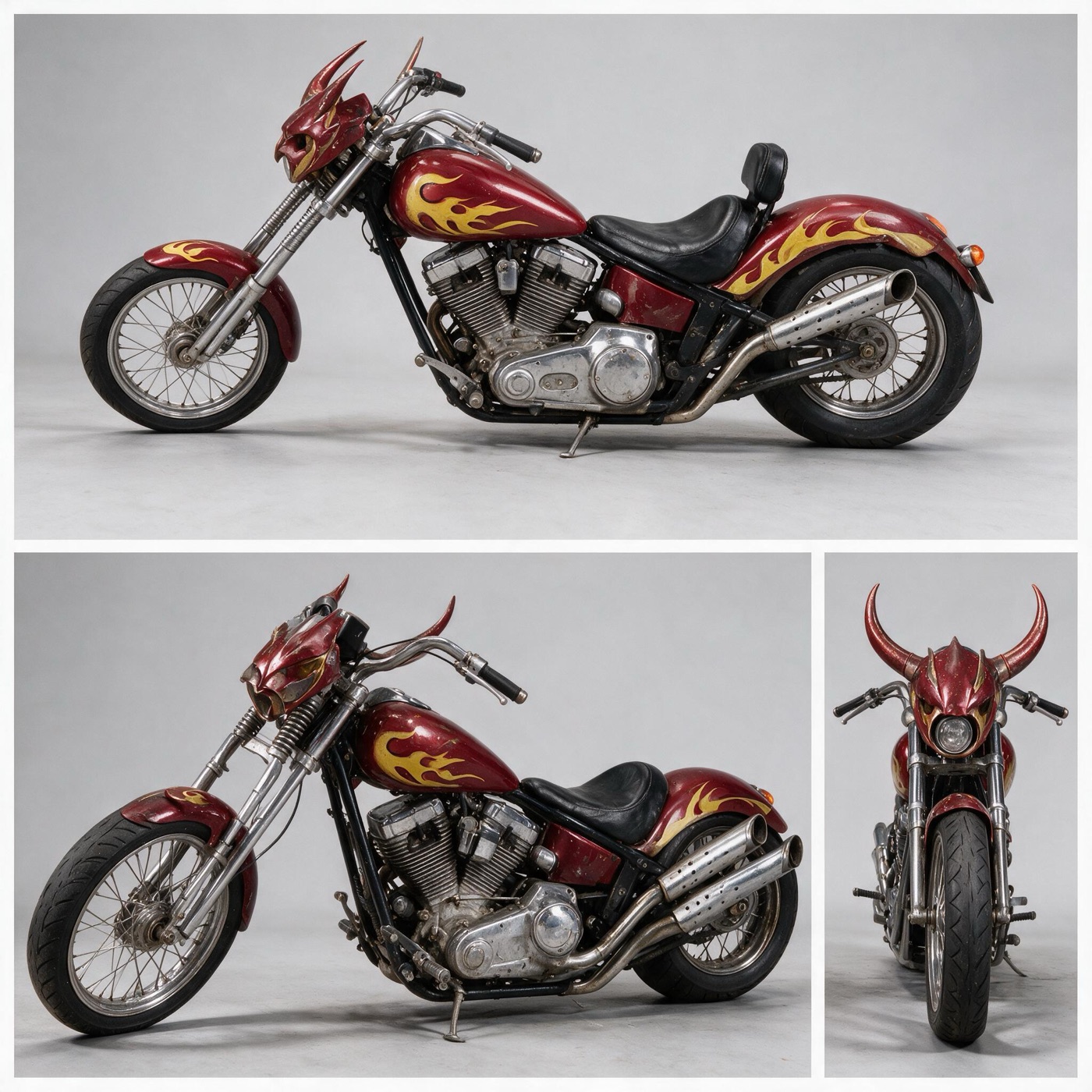
The motorcycle
Six reference pictures of the bike from different angles. The prompt says exactly what to take from each, and what not to.
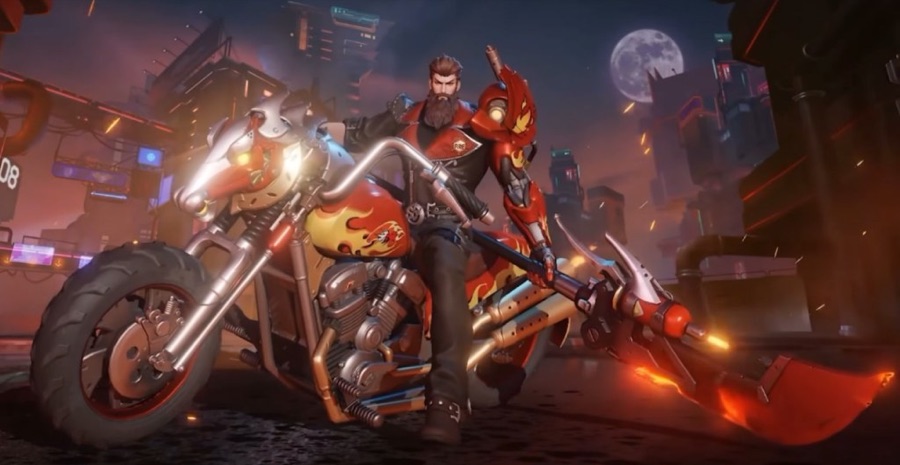 @Image1
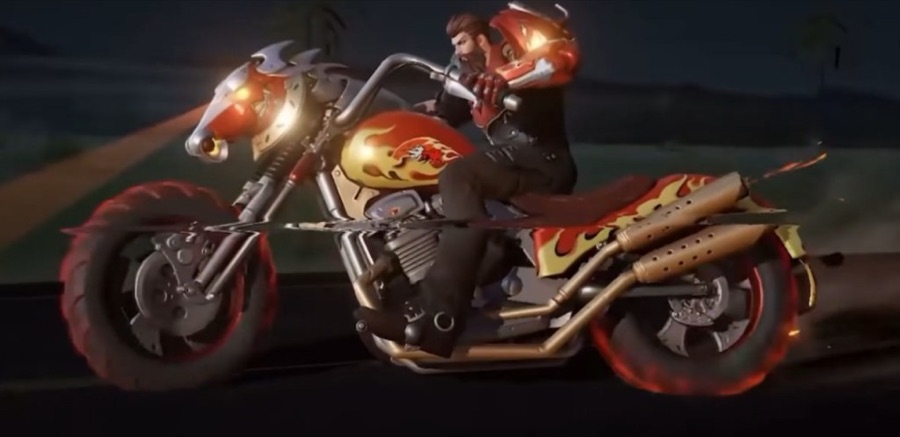 @Image2
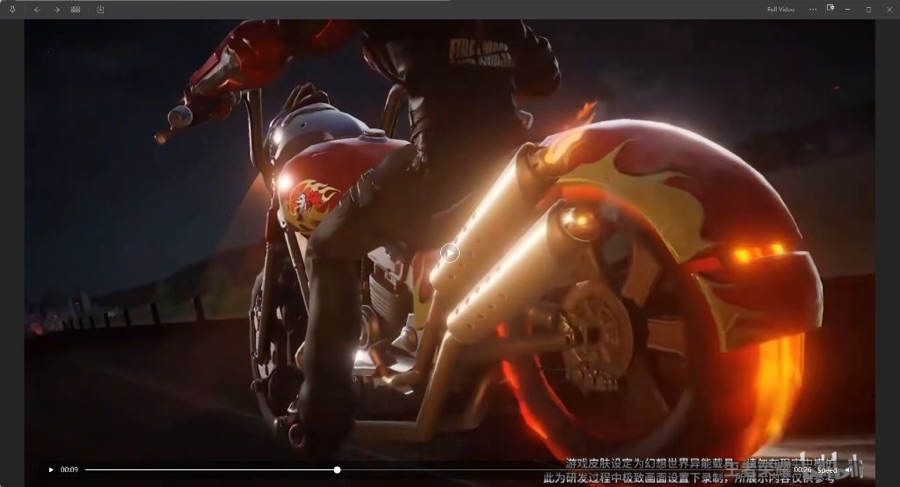 @Image3
 @Image4
 @Image5
 @Image6
@Image1 is the motorcycle from the front three-quarter at night: take its stance, its overall proportions and the horned skull-like headlight cowl, not the rider, the city, the moon or the night light.

@Image2 is the motorcycle ridden from the side at night: take the flame paint on the tank and the fender, the twin long exhausts and the chrome engine, not the rider, the motion blur, the glowing wheels or the darkness.

@Image3 is the rear three-quarter: take the shape of the rear fender, the two perforated exhaust pipes and the small round tail light, not the rider's legs, the subtitles, the player toolbar or the video frame.

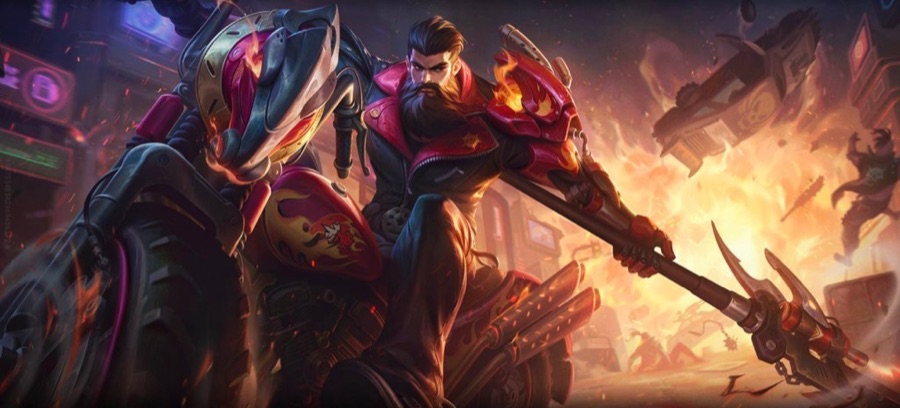
@Image4 is the motorcycle against a fiery blast: take the deep red and gold front cowl and the horned fairing, not the rider, the fire, the debris or the painterly illustration style.

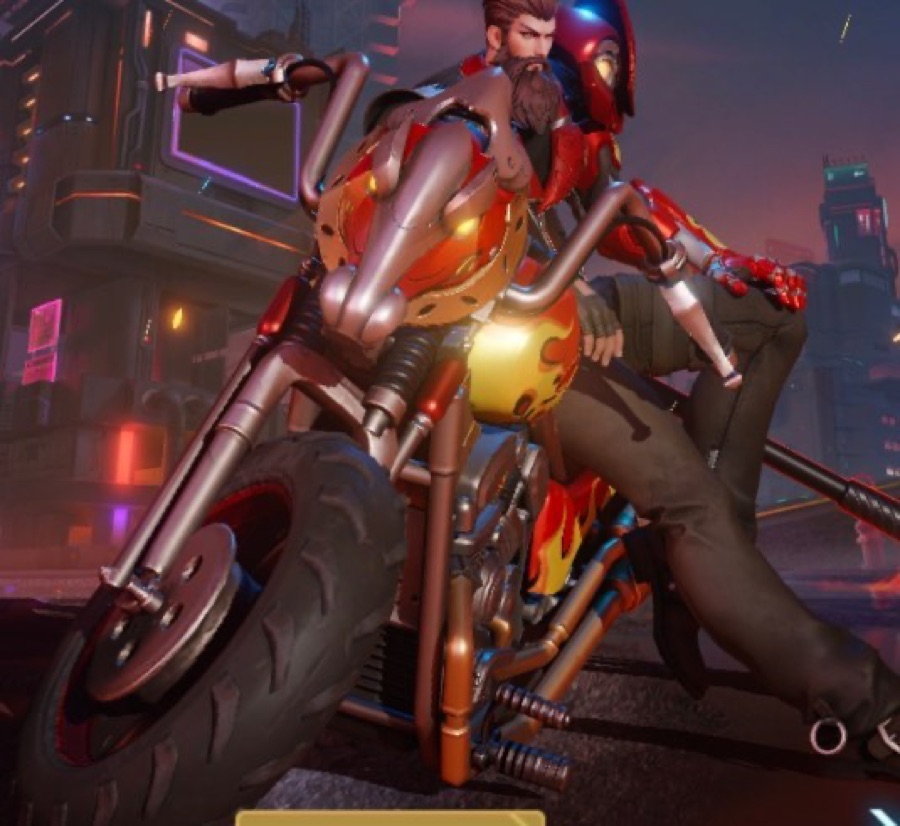
@Image5 is the front-left view: take the coiled chrome front springs, the large black front tyre and the rounded horned headlight shell, not the rider, the red helmet or the neon signs.

@Image6 is a clean side view: take the whole silhouette, the tank and fender flame paint, the polished chrome V-twin and the spoked rear wheel, not the cropped rider or the neon background.

A wide photo strip: four separate studio photographs of the same motorcycle, placed side by side in one row, left to right, all four the same height, divided by thin white lines, on a plain light-grey seamless studio backdrop, evenly lit with the same soft light in all four.

PHOTO 1 (far left): the exact side profile, the motorcycle facing the left edge, the whole machine in frame from the front tyre to the rear tyre, both wheels resting on the ground, standing upright on its own.

PHOTO 2: the front three-quarter from the left, showing the horned headlight cowl, the long raked fork and the coiled chrome springs.

PHOTO 3: the rear three-quarter from the right, showing the rear fender, the two long exhaust pipes and the tail light.

PHOTO 4 (far right): the front, straight on, showing the horns, the wide low handlebars and the narrow front tyre.

THE OBJECT: a custom chopper motorcycle, 250 cm long, 175 cm wheelbase, seat 66 cm from the ground, handlebar 82 cm wide, standing 120 cm tall at the top of the horns. Low, long and raked, with a thin 53 cm front wheel on a long chrome fork and a wide 46 cm rear wheel. The frame is black steel. Deep crimson glossy paint on the fuel tank and the rear fender, with yellow flame outlines sweeping back along both, and a small crimson front fender with a yellow flame tip. A horned front cowl over a single round headlight: a deep crimson helmet-shaped shell with gold trim, two curved horns sweeping up and out to either side. Wide low chrome handlebars with black rubber grips. A round chrome air cleaner on the right. A polished chrome V-twin engine with finned cylinders and chrome pushrod tubes. Two long polished chrome exhaust pipes with perforated heat shields, running low and level along the right side, flared at the tips. A black leather scooped solo seat with a small black backrest behind it. Wire-spoked chrome rims on both wheels, black tyres. A small round orange-red tail light on the rear fender. Wear: fine scratches and faint fingerprints in the chrome, a scuffed left footpeg, grey road dust in the lower engine cases, a small stone chip on the front of the tank, the leather seat polished shiny where it is sat on.

One motorcycle only, saddle empty, no rider.

Not an illustration, not a 3D render, not CGI, no text, no labels, no watermark.
The Guan Dao
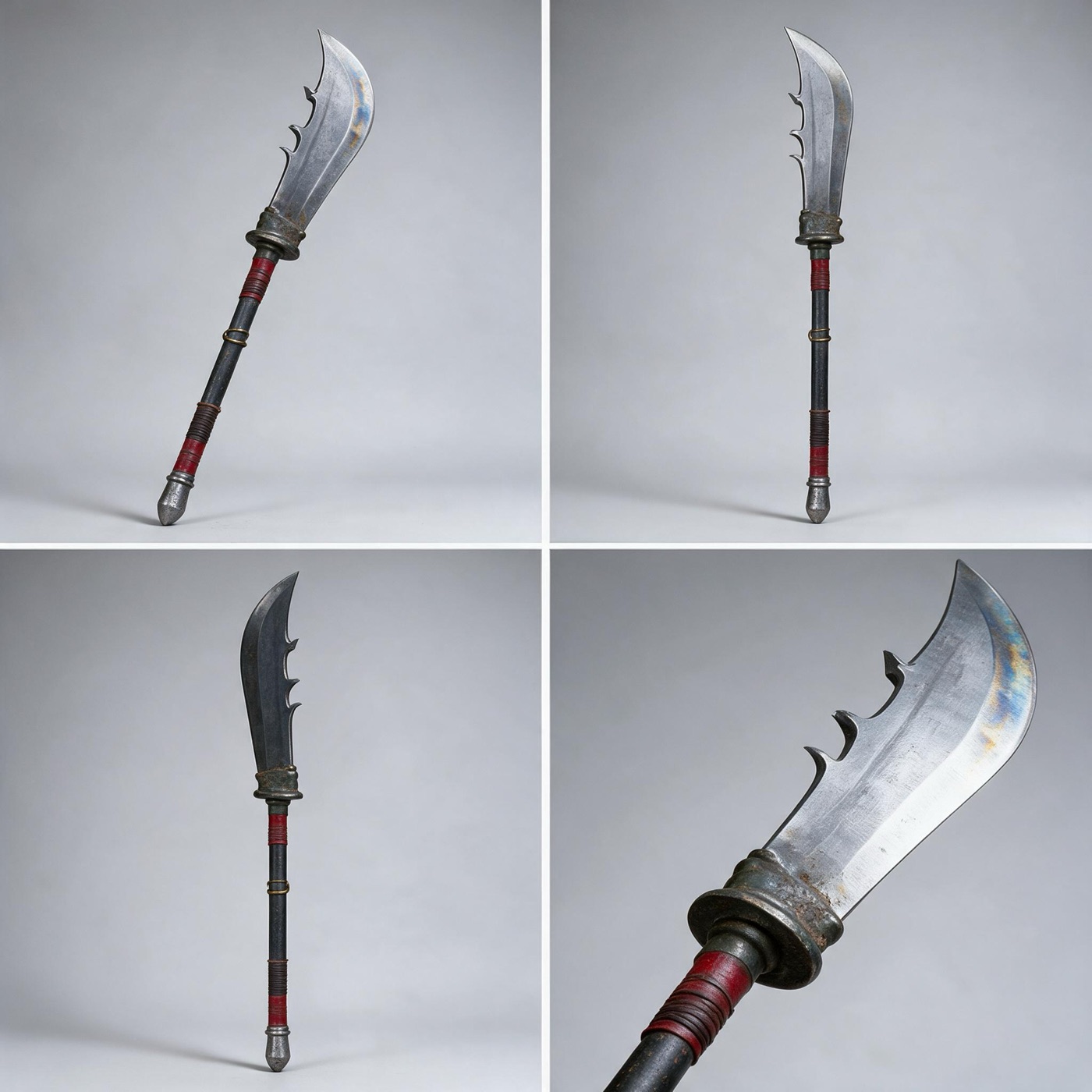
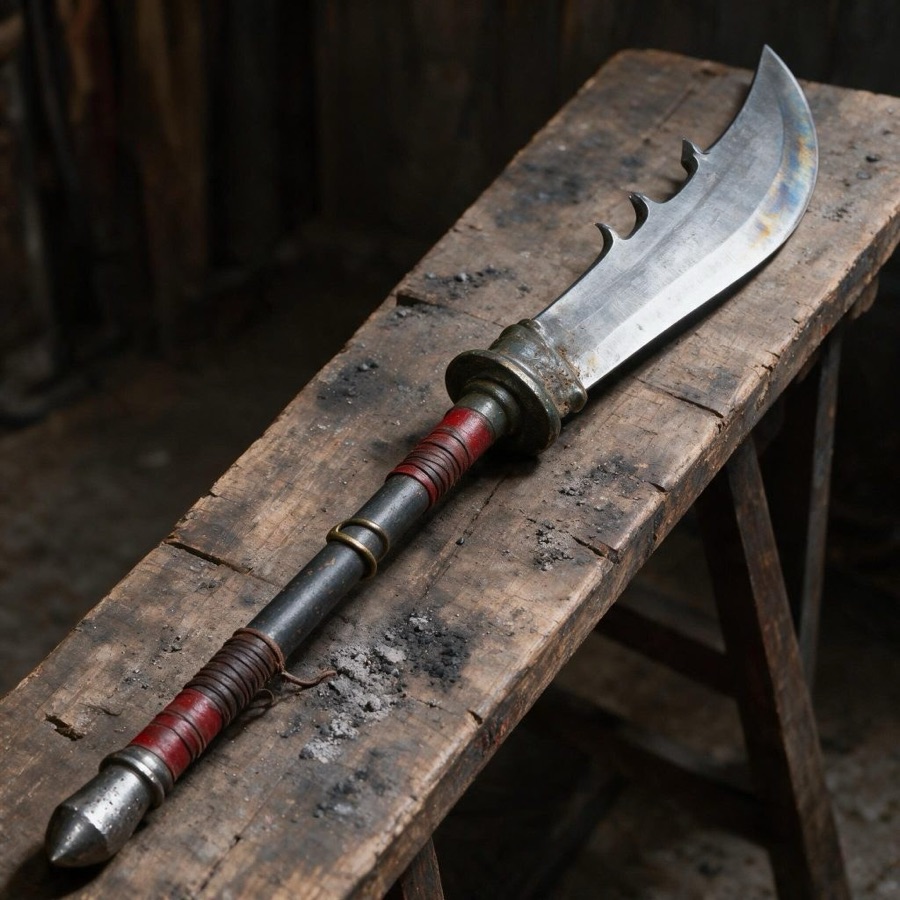
One reference picture: the prompt takes only the blade from it.
 @Image1
Ultra-realistic product reference sheet of one prop for a film - Guan Dao: @Image1 is the guandao as it exists now: take only the blade from it - the broad single-edged chopping head, the sharply curved tip, the three small hooked notches along the straight back edge, the brushed grey steel with faint blue and gold heat tint near the tip, and the thick tarnished green-bronze collar where the blade meets the shaft. Do not take its handle length or proportions, its short shaft, the wooden bench, the background or its light. PROP SHEET LAYOUT: three separate photographs of one single weapon, placed side by side in one row, left to right, each a tall vertical rectangle, all three the same width and height, divided by thin white lines. The same light and the same colours in all three. PHOTO 1 (left): the full weapon, standing vertically and dead straight - blade at the top, butt cap at the bottom - filling about 92% of the panel height with a small even margin above and below. Seen from the side, the broad flat face of the blade turned to the camera, cutting edge facing the right edge of the panel. The whole thing in one frame: the small head at the top, a long plain shaft running almost the entire height, the wrapped grip near the bottom. PHOTO 2 (middle): a close-up of the head, from the tip of the blade down about 50 cm of shaft. The blade at large scale filling the upper half of the panel, the three notches in the back edge clearly readable, the heat tint across the steel, the thick tarnished bronze collar, and the top 10 cm of the shaft below it. PHOTO 3 (right): a close-up of the lower handle, the bottom 60 cm of the shaft. The lower red cord wrap bound in tight even spirals, a pair of tarnished brass rings above it, and the blunt conical steel cap at the very bottom, its point worn and slightly flattened. Small dents and ash smudges on the steel. THE PROPORTION: the head is about 40 cm of the total 200 cm, and the shaft is about 160 cm - four times as long as the head - so in PHOTO 1 the metal head is a small fraction at the top and the shaft runs most of the frame. THE BLADE: one broad, single-edged chopping blade about 22 cm across at its widest, spine straight along the back with three small hooked notches cut into it, the tip sweeping back in a sharp curve, the cutting edge gently convex. Brushed grey steel, faint blue and gold heat tint near the tip, fine scratches and a soft dark patina along the spine, about 1 cm thick at the spine thinning to the edge. THE COLLAR: a thick, tarnished green-bronze socket about 8 cm long where the blade grips the shaft, one raised ridge around it, dark green-black oxidation in the crevices. THE SHAFT: straight, dull, weathered dark steel about 3 cm in diameter, undecorated along its middle length. Two sections wrapped in faded red cord, each bound in tight even spirals: one about 30 cm just below the collar, one about 35 cm just above the butt cap. Halfway down, a pair of tarnished brass rings set about 4 cm apart. At the bottom a blunt conical steel cap about 6 cm long. Scratches, small dents, ash smudges, a few loose cord fibres. Real metal and real cord photographed as a physical object: sharp focus, natural material texture, dull brushed finish with no shine or chrome. Not an illustration, not CGI, not a 3D render, no glow, no fantasy ornament, no dragon engraving, no second blade, no extra parts, no people, no hands, no text, no labels, no measurement arrows. One square image split into a 2x2 grid of four equal panels with thin even gaps, every panel on the same seamless plain light-grey studio backdrop with the same soft natural window light: TOP LEFT - the whole prop in a three-quarter view from slightly above; TOP RIGHT - the whole prop in exact side view; BOTTOM LEFT - the whole prop from the back or from directly above, whichever shows more of its shape; BOTTOM RIGHT - a tight close-up of its most telling detail: the surface texture, material, wear, edges and any marks. The same single object in all four panels - identical shape, size, colours, materials and wear - each view whole and centred inside its own panel, nothing crossing into the next panel. True size and real materials with honest wear, shot on a full-frame camera, sharp detail. No people, no hands, no text, no labels, no numbers, no logos, no watermark. @Image1 is reference photo 1 of the prop: match its shape, colours and details.
Locations
Two empty places, lit the way I wanted them in the film.
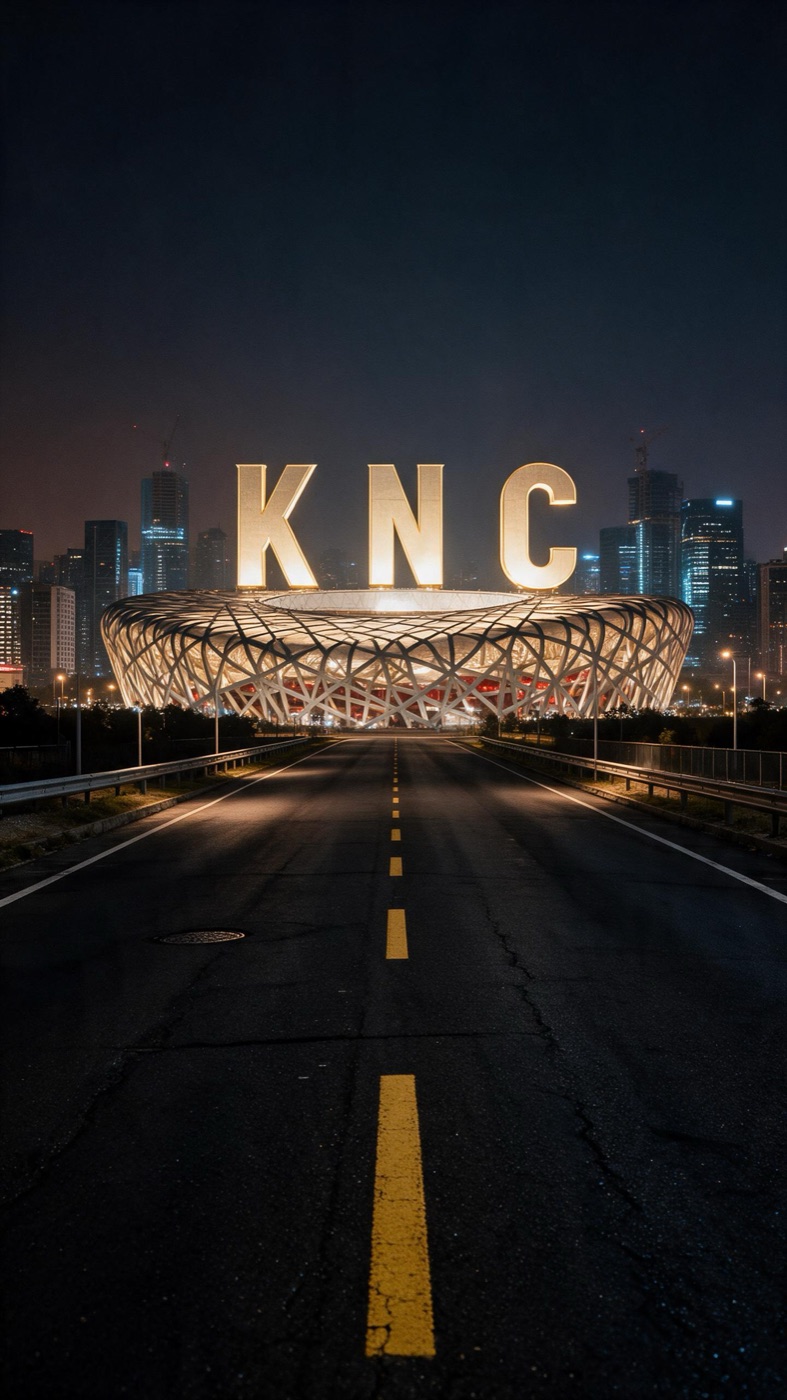
The road to the KNC stadium
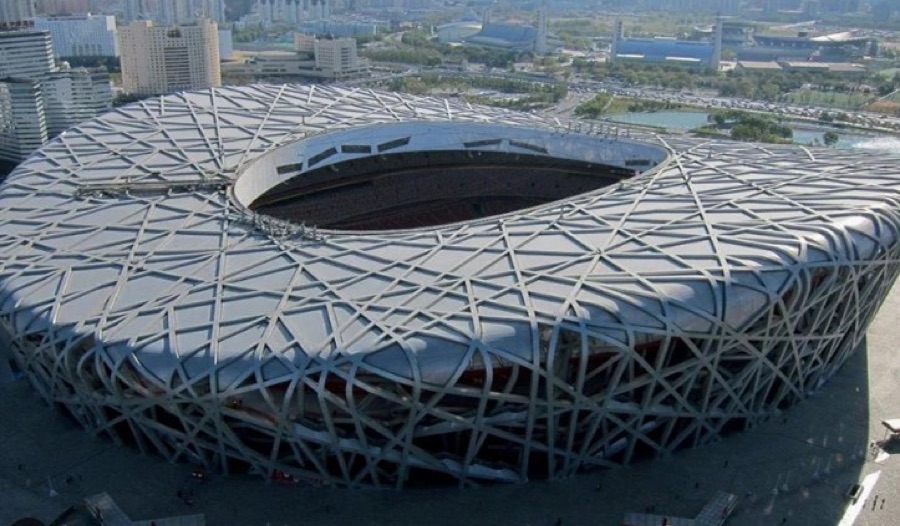
One reference photo: the prompt takes only the stadium's roof and steel lattice.
 @Image1
 is the reference stadium photographed from above: take only the shape of its huge oval roof and the dense lattice of irregular criss-crossing grey steel beams wrapping the outside, and the large oval opening in the middle of the roof - not its aerial angle, not its flat hazy daylight, not the city, roads, pond or trees around it, and nothing from inside it.

FORMAT: vertical 9:16 location photograph, empty place, no people.

CAMERA: 110 cm above the road surface, standing on the crown of the road directly over the yellow centre line, an 85mm lens looking straight ahead along the road toward the city, level, vertical 9:16 frame. The road runs from the bottom edge of the frame to a vanishing point a little below the middle of the frame.

THE PLACE:
Bottom third - empty black asphalt, patched seams, grit, hairline cracks, a faded white edge line on each side and between them a single yellow dashed centre line, dashes about 300 cm long with 900 cm gaps, running away to the vanishing point, one lane on each side of it, a steel manhole cover set left of the line.
Middle band - the road narrows to the vanishing point; a low galvanised guardrail and slim street lamp poles every 30 m on both sides, their heads 900 cm up; a thin strip of dark grass and low trees behind the rails, then the first low buildings with shuttered fronts.
Upper part - the modern city skyline: glass office towers 60 to 120 m tall with grids of small lit windows, two crane masts carrying red warning lights, standing in a wide horizontal band across the frame. Centred exactly on the vanishing point, far behind the city edge, the stadium: an oval bowl about 300 m across wrapped in a dense lattice of irregular criss-crossing grey steel beams, a large oval opening in the middle of its sloping roof, faint red seating colour showing between the beams at its base.
Hanging in the air above the stadium's roof opening, three huge plain bold capital letters K, N, C standing side by side in a row, each about 60 m tall, flat faces with crisp sharp edges, their front faces glowing warm white-gold, lit from underneath.

THE LIGHT: night. The stadium and the letters are lit from inside the stadium - a warm white glow at about 3800K rising up through the oval roof opening, so the steel lattice shines from within, the undersides of the beams are brightest, and each letter is brightest along its lower face with a soft fall-off toward the top. Amber street lamps along the road at 2900K throw small pools on the asphalt. The city windows are cool blue-white at 5600K. The sky is deep blue-black, faintly brown low on the horizon. The asphalt stays dark with open shadows and no crushed blacks.

LOOK: real photograph, true-to-life proportions, fine grain, faint atmospheric haze around the far towers, palette of black asphalt, amber, warm gold and cool blue, high contrast with detail kept in the shadows, sharp focus from the near dashes to the stadium. No lens flare.

NO: no people, no vehicles, no animals, no smoke, no rain, no words or signs anywhere except the three letters K, N and C, no watermark, no logos, not an illustration, not CGI, not a 3D render, no text labels.
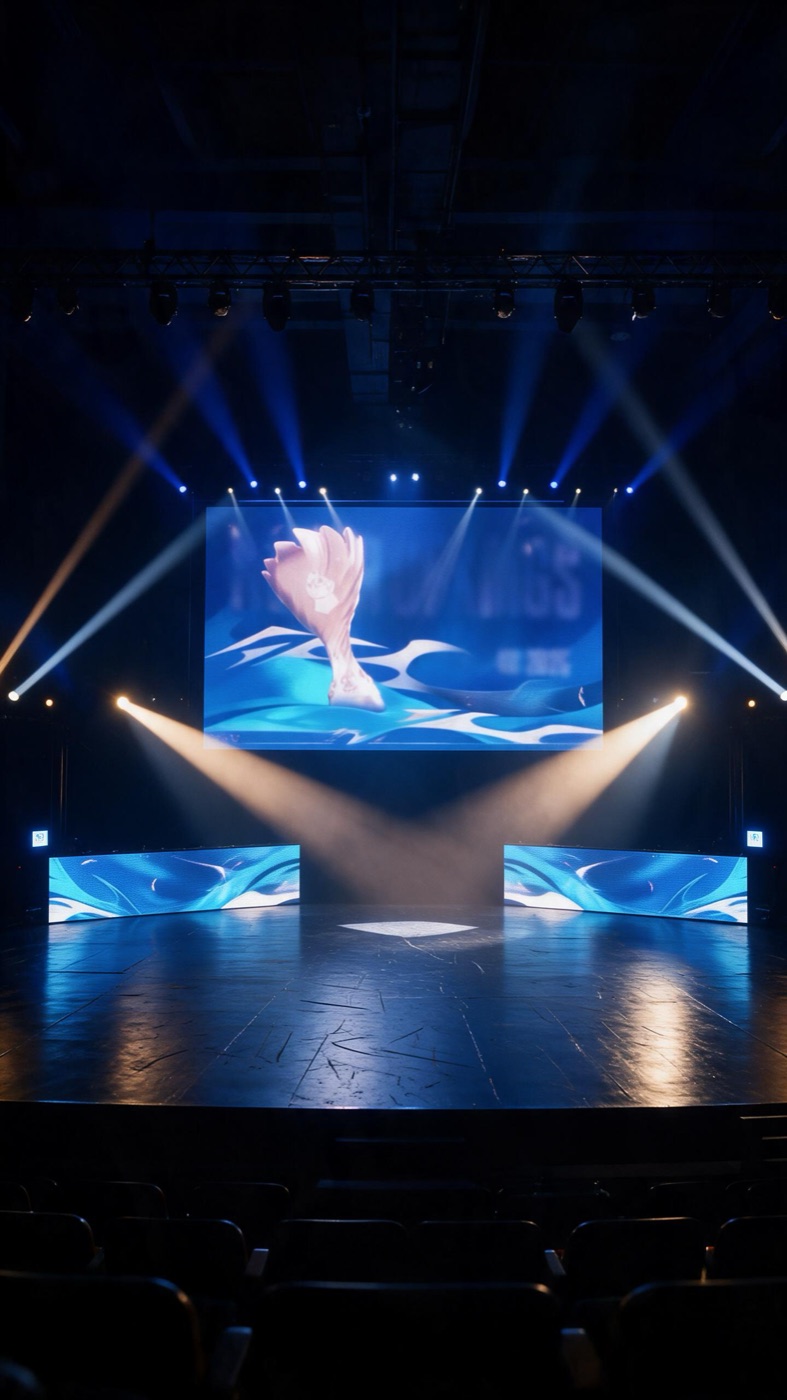
The esports stage
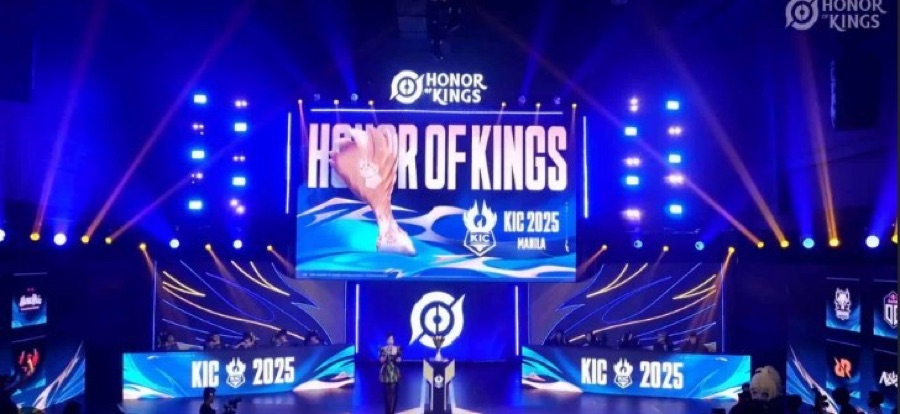
One reference photo: the prompt takes the LED wall, panels and light beams, not the people or trophy.
 @Image1
 is the reference stage: take its big LED wall with the pale trophy shape over the swirling blue wave pattern, its deep navy, electric-blue, cyan and gold palette, the long low LED panels either side of the stage, the crossed white and blue spotlight beams and the warm golden beams passing through haze - not the person, not the podium, not the small trophy stand or any trophy on the stage, not the low resolution or blur.

Camera at 150 cm height, 24mm lens, looking straight at the stage from the middle of the hall, 9:16 vertical picture.

THE PLACE, top to bottom: in the upper part, the dark roof of the arena, black and unlit, with two steel lighting trusses crossing it and a row of spotlights hanging from the front truss. In the middle band, the stage: a 14 m wide platform whose back wall is one large rectangular LED screen, 12 m wide and 7 m tall, its face glowing pale pink-white over a swirling electric-blue wave pattern, a few soft unreadable pale letters and the dim shapes of numbers on it, all out of focus at this distance. At the far left and far right edges of the screen, two small square team emblems glow. On the stage floor, two long low LED panels, 4 m wide and 40 cm tall, stand flat on the deck either side of the open centre, facing the camera, repeating the blue wave pattern. The centre of the stage is completely bare: a wide empty black deck from the front lip of the stage to the screen, 6 m deep and 8 m wide, with nothing on it - no furniture, no stand, no microphone, no equipment. The deck is black painted plywood, glossy, scuffed with soft grey scratches and faint footprints, its surface reflecting the blue of the panels in long soft streaks. In the bottom third, the front edge of the stage in shadow and, below it in the foreground, the dark backs of empty seat rows, black and unlit.

THE LIGHT: the LED screen is the main source, cool blue-cyan, spilling down the deck and lighting the empty stage floor from behind. Two warm golden beams, about 4000K, cross low in the air above the stage from left rear and right rear. White and blue spotlights from the front truss fall in narrow cones onto the deck. Thin haze in the air makes every beam a visible shaft. The hall ceiling, the seats and the edges of the frame stay near black, and the empty deck keeps visible detail in its shadow, never crushed to flat black.

LOOK: deep navy, electric blue and cyan, with gold and white accents; high contrast, cinematic, real arena photograph, natural haze and lens softness in the beams.

No people, no host, no presenter, no audience, no podium, no table, no trophy, no microphone, no readable words, no watermark.
Record your own action video
This is where the performance comes from. The AI keeps your movements, your timing and the camera exactly as you recorded them, so act it out properly. Mine took a few tries and no equipment.
Tips for recording
- Film vertical (9:16) at 1080p, with the phone on a tripod or propped against something, so the camera does only the moves you mean.
- Use stand-ins at the real height and position: a chair back for the handlebars, a basket or stool for the seat, a broom handle for a weapon. Your hands then land where the real thing will be.
- Act bigger than feels natural. Clear, strong moves come through; small ones get lost.
- Keep your face in good, even light and facing the camera when it matters. Daylight from a window works well.
- Wear plain, close-fitting clothes with no logos, so the new outfit has a clean shape to replace.
- Keep the background simple and nobody else in the frame.
- Keep it short: 5 to 15 seconds. Plan any cuts and note the exact second each one happens; you will need those times in the prompt.
- Record the sound you want to keep. Music and effects are easier to add in the edit afterwards.
Make the video
Now put it all together: your recording, the props and the locations go into one shot, and the Prompt Writer writes the prompt for you.
How to make it
- Open the scene you created in step 1.
- At the bottom of the screen, open the Prompt Writer tab. If you don't see the box, press the round button at the bottom right of the screen to bring it back. Press + to attach your files one at a time, in order: your recording first, then each picture. The order sets their numbers: @Video1, then @Image1, @Image2 and so on. Then write in plain words what you want, and send it.
- Press Build This Shot under its answer. The Build box fills with the prompt and your files. Pick the model (I used Seedance 2.5 Edit at 480p).
- Before you press Generate, check two things in the Build box. Movement: does the prompt describe the moves you want? If not, go back to the Prompt Writer, tell it what to change, and press Build This Shot again with the updated prompt. Attachment order: is every reference in the right place for its number? If not, drag them into the right order. Then press Generate.
- Do the final edit in CapCut: trim it, and add music and sound effects.
- Upscale the finished video with Topaz in Foreign Famous Film. In Film Lab: switch the box at the bottom to Video, press +, choose From this computer and add your finished video (just one). Under Model, pick Topaz Starlight from the Video Upscale group (or Topaz Starlight Fast 3 for a quicker one), choose 1080p or 4K, and press Generate. The upscaled video lands in your Film Lab gallery, ready to download. For a single shot inside your scene, open the shot and press Upscale Shot instead: the Build box opens with the upscalers, you pick Topaz Starlight and the size, press Generate, and the upscaled take shows in the shot list.
- There is no step 7. You're done!
The order I attached them in
- @Video1: my recording
- @Image1: the outfit
- @Image2: the motorcycle
- @Image3: the Guan Dao
- @Image4: the road to the KNC stadium
- @Image5: the esports stage
Tips for the Prompt Writer
- Tell it what to keep from your video, not just what to change: your face, your movements, the camera and the cuts. Then change only what you need.
- Give it the second each cut happens, so every shot gets its own instructions.
- For every picture, say what to take from it and what not to: the outfit's clothes but not the face, the bike but not its background.
- If one thing comes out wrong, describe exactly what went wrong to the Prompt Writer and ask it to fix only that.
- Make the first version at 480p. It is cheaper and fast. Upscale only once it is right.
The full prompt
Edit @Video1 into live-action night footage, photoreal, as if shot on location with a cinema camera. Keep exactly from @Video1: the man's face, his white cap, his hair, his body, his body language and every movement with its timing, every camera position and camera move, the framing of every shot, and the hard cuts. On the man, change only his clothes.

@Image1 is the outfit: take from it only the clothes, exactly as it shows them - the black leather biker jacket with the deep burgundy collar and lapels, the brass zips and studs, the burgundy shoulder plates painted with gold flames, the red-and-gold serpent emblem across the back, the burgundy band at the waist, the black T-shirt under it, the black leather gloves, the worn dark jeans and the black buckled boots. Not the face in it, not its hair, not its white background or studio light. His own face and his white cap stay exactly as in @Video1.

@Image2 is the motorcycle: the heavy chopper with the glossy deep-red tank and yellow-orange flames, the chrome forks, handlebars and exhaust. Take only the bike, not its background or light.

@Image3 is the Guan Dao: the long shaft and the broad curved single-edged blade. Take only the weapon, not its background or light.

@Image4 is the road for 0.0-11.05s: the dark empty road leading straight to the lit KNC stadium. He rides towards the stadium. Before 7.07s the camera faces him, so the stadium is behind the camera and never shown; from 7.07s the camera is behind him and the stadium is ahead of him. Take from it the asphalt with its yellow centre line, the warm street lamps and railings along both sides, the glowing lattice stadium with the KNC letters on top and the city towers. Wherever the stadium is seen, keep the KNC letters exactly as in @Image4.

@Image5 is the location from 11.05s to the end: the esports stage - the big LED screen at the back, the two side LED panels, the crossed white, blue and gold spotlight beams, the haze, the trusses above and the glossy black stage floor.

THE CHANGES, shot by shot. The man, his face, his cap, his movements and the camera stay exactly as in @Video1 in every shot.

0.0-7.07s: his blue tank top, grey shorts and white socks become the outfit from @Image1, the leather creasing as he moves. The wooden chair becomes the motorcycle from @Image2 in the same place and at the same size, so his gloved hand grips the handlebar exactly where it grips the chair back. The room - the floor, the walls, the sofa, the table, the stairs, the kitchen - becomes the same road from @Image4 at night, but seen the other way: he faces the stadium, and the stadium is behind the camera, so in these shots the KNC stadium and its letters are never visible. Behind him is only the dark road stretching back the way he came - the asphalt, the yellow centre line, the street lamps and railings fading into the night, the city towers far off - with a faint warm glow on him from the stadium ahead, out of view. The bike's warm headlamp and the street lamps light him.

7.07-11.05s: the camera stays exactly as in @Video1, behind and to the side of him. The woven basket he sits on becomes the leather seat of the motorcycle from @Image2, and he sits astride the bike on the road from @Image4, gripping the handlebars, his back to the camera, the serpent emblem on his jacket in full view, the KNC stadium glowing far ahead down the road. As he leans forward the engine comes to life: the chrome exhaust pipes glow hot orange, the back tyre spins on the asphalt and throws up dust, sparks and smoke that drift past the camera, and the headlamp beam stretches down the road towards the stadium - the first time the stadium is seen.

- HARD CUT at 11.05s, as in @Video1 -

11.05-12.9s: keep the framing exactly as in @Video1 - the same distance, the same height, the same size of him in the picture. Only the background changes: the room becomes the esports stage from @Image5, with the LED screen, side panels, spotlight beams and haze behind him and the glossy black stage floor under him. The chair he stands astride becomes the motorcycle from @Image2, so he sits astride the bike in the same pose. In his right hand he holds the Guan Dao from @Image3 by the middle of its shaft, the blade pointing outwards; his arm moves exactly as in @Video1: he raises it high, then slices it down in one hard stroke. Real flames pour from the back of the blade - the dull side, not the cutting edge - near its tip, the whole time, flaring and trailing as it moves and lighting his face and the bike orange. As the blade goes up, lightning crashes down around him from the dark above the stage, and for one flash a fierce Chinese dragon appears above him; on the slice, the dragon vanishes and the lightning stops.

Look: real-photo realism, real skin texture with pores, real leather grain, real paint and chrome reflections, real fire, smoke and sparks, natural motion blur. No CGI or game look.

Sound: keep the original sound of @Video1 only. No music, no added sounds.

The picture has no subtitles, no captions, no watermark and no added words at any moment. The only lettering anywhere is the KNC sign on the stadium from @Image4.

CONTINUITY: exactly one man, his own face and white cap from @Video1 in every shot, the same outfit throughout, the hard cut at 11.05s.

Never: no change to his face, never without his white cap, no other face from @Image1, no extra people, no extra fingers, no morphing, no leftover chair, basket, furniture, walls, kitchen or stairs from the room.
The finished film at the top is this shot plus a few extra ones, cut together in CapCut with music and sound effects.